What Is a Digital Tip Jar?
A digital tip jar replaces the missing cash in a customer's pocket with a direct, phone-friendly way to say thank you.
Tip Jar Editorial · Updated October 26, 2026 · 5 min read
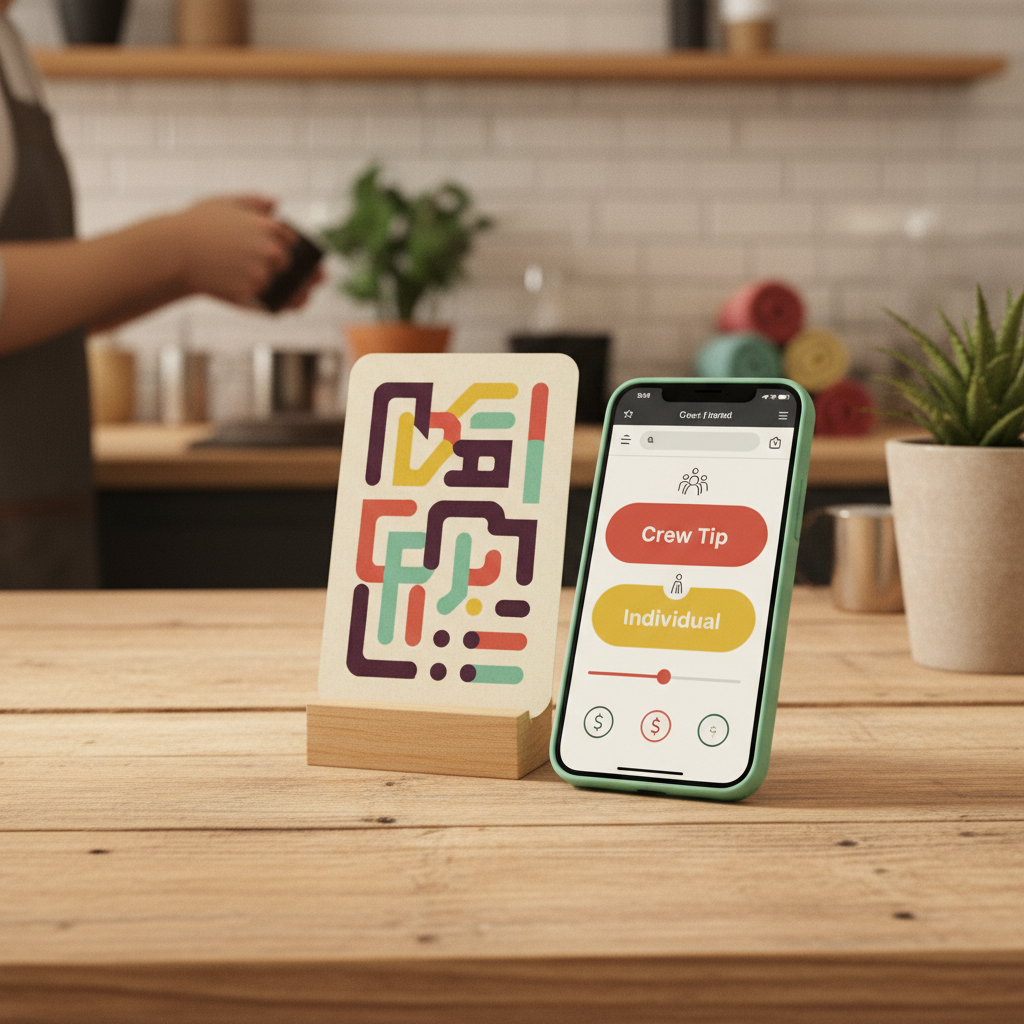
A digital tip jar is a software tool that allows customers to send cashless tips directly to service workers or teams through a phone browser, requiring no app download or customer account. It operates through scannable QR codes, hosted web links, email signatures, or website embeds, routing gratuities either to named individuals or across an entire crew.
What a digital tip jar is
A digital tip jar gives guests a direct way to leave a gratuity from their smartphones when they do not carry cash. Unlike a physical glass jar on a counter or a generic peer-to-peer payment handle scribbled on a chalkboard, a digital tip jar is a dedicated tipping platform designed specifically around the moment of saying thank you.
From an operator's perspective, Tip Jar is app-based tipping software used to customize the customer experience, set suggested amounts, add crew members, generate sharing assets, and review tip activity. For the customer, the experience is completely browser-based. Customers do not need to download an app or create an account before they tip. When they scan a code or tap a link, the tipping page opens directly in their mobile browser, lets them choose an amount or a person, and completes the payment in moments.
In our view, a good digital tip jar should feel like part of the service experience, not another retail checkout. While a generic payment link can collect money, a tip jar creates a clear tipping moment centered on gratitude.
The four channels: how customers reach your tip jar
A single digital tip jar can be accessed across multiple touchpoints. Rather than forcing you to maintain separate accounts for different locations or touchpoints, one tipping page can be reached in several ways:
- Printed QR codes: Tip Jar generates a ready-to-print code from your jar's link. When a guest scans the code with their phone camera, it opens the tipping page instantly in their browser with nothing to configure on their end.
- Direct hosted links: Every jar has a clean URL that can be shared in text messages, booking confirmations, or direct messages.
- Website embeds: You can embed the tip jar directly into an existing website or portfolio, giving visitors an on-page way to support your work.
- Email signature links: Adding your tip link to the footer of follow-up emails, receipts, or appointment summaries keeps the door open for appreciation after the in-person interaction ends.
These channels are simply different entry points into the exact same tipping flow. Whether a customer scans a sign on a boat deck, clicks an invoice confirmation, or taps a link from their phone browser, they arrive at the same destination.
Individual attribution and whole-crew tipping
One common challenge in service tipping is deciding how money routes when multiple people deliver the experience. A team Tip Jar can offer two clear choices:
- 1Named individual tipping: Guests can select a specific person who helped them.
- 2Whole-crew tipping: Guests who do not know individual names can tip the whole crew instead, when the jar has that option turned on.
In our experience, forcing a customer to choose a specific person when they do not remember names creates social friction that can stop a tip entirely. A whole-crew option solves that barrier cleanly. Conversely, when a customer clearly remembers who helped them, choosing that person preserves meaningful recognition rather than lumping everything into an anonymous pool.
Money goes into the payment account the business connects during setup.
Understanding and reducing tipping friction
When a willing customer walks away without tipping, it is rarely because they lacked gratitude. We think about the reasons a willing customer does not tip as tipping friction across eight distinct areas:
- Discovery friction: The customer cannot find where or how to tip.
- Payment friction: The customer has no cash and no obvious digital way to pay.
- Identity friction: The customer wants to tip but does not know who helped them or feels awkward asking for a name.
- Amount friction: The options presented are either absent or uncomfortably high.
- Timing friction: The request arrives long before service is complete or long after the thank-you feeling has faded.
- Social friction: Tipping feels like an uncomfortable, public confrontation rather than an easy gesture.
- Technology friction: The customer is forced to download a new app or register for an account.
- Trust friction: The customer is unsure whether the money actually reaches the staff.
A tip request that feels like a demand creates pressure that converts once and sours the memory of the experience. The best digital tip jar appears where gratitude already exists, letting the guest act on natural appreciation without pressure.
How to evaluate tip jar placement
A digital tip jar only works if guests notice it at the right moment. We suggest judging any tip jar placement on six practical criteria:
| Placement Factor | What to Look For |
|---|---|
| Visibility | Can guests see the QR code or link clearly from where they stand or sit? |
| Timing | Is the placement near the natural thank-you moment at service completion? |
| Dwell time | Do guests have a calm moment to scan, or are they rushing out the door? |
| Context | Does the signage clearly explain that this supports the staff or crew? |
| Accessibility | Can guests physically reach and frame the code with their camera? |
| Repetition | Can the link appear in more than one relevant spot without nagging? |
We think about a service experience in stages: before service, arrival, during the experience, peak delight, service completion, payment, goodbye, follow-up, and the review moment. Dwell time and attention change at every stage. For example, the moment right after a successful tip is a natural place to offer a review link, because someone who has just chosen to tip has already expressed positive intent.
Setup and fee structure
Creating a Tip Jar takes about two minutes and does not require a website. The business operator configures the jar, sets the crew options, and prints the QR assets or copies the link.
The smallest tip a guest can leave is $5. Tip Jar charges 3% plus card processing, taken out of the tip. There is no surcharge added for the guest, who pays only the amount they chose to give.
Questions people actually ask
Does a customer have to download an app to leave a tip?
No. Tip Jar is app-based software for the business, while the customer-facing tipping page opens directly in the customer's phone browser. Guests do not need to download an app or register an account.
What is the smallest tip accepted on Tip Jar?
The smallest tip Tip Jar accepts is $5.
How much does Tip Jar charge?
Tip Jar keeps a 3% platform fee, taken out of the tip rather than added to it.
Can customers tip an entire crew at once?
Yes. When the whole-crew option is turned on, customers can choose to thank the entire crew rather than selecting an individual person, and the money routes accordingly.
How can I share my digital tip jar?
You can share a Tip Jar as a printed QR code, a direct link, an email signature link, or an embed on your own website.